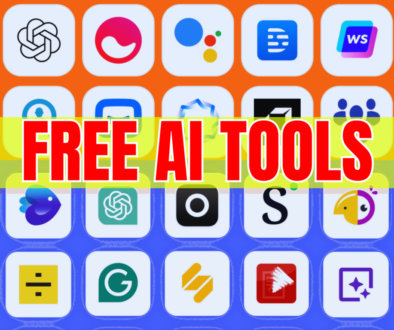

Top AI Apps that could Help You Be More Productive in 2026
(How They Won’t Be as “Complicated” As You Think) The Second You Realize It All Boils Down to Being Exhausted.
Sometimes we get exhausted not because we’ve been working hard. We get exhausted because we keep doing little repetitive things throughout the day. Writing back emails. Fixing sentences. Finding answers to questions. Organizing ideas that refuse to be organized.
One task alone might not seem like much effort. Together, however, they start depleting us. At least, that is what I thought. I figured I just needed to have better self-control… better focus… or stop procrastinating more.
But the real problem was different. My exhaustion did not come from being lazy. My exhaustion came from having too many little jobs to do.
This is when I discovered how helpful AI software could be… even if they didn’t replace me entirely.
What These AI Tools Really Do in The Real World
Now that we’ve got that out of the way.
Here’s what they actually do: Speed up getting started. Cut down on redundancy. Tidy up disorganized data. Offer an initial draft when faced with a blank page.
Think of them like this: They don’t replace your brain. They just give you a little help when your hands—and your head—are already full.
That’s it. No magic. No shortcuts.
Just something that takes a bit of the load off so you can focus on what actually matters. In the year 2026, this technology has made leaps and bounds in its usefulness.
1. ChatGPT – For When You’re Stuck on What to Write Next
Sometimes the frustration of looking at a blank sheet of paper is overwhelming. You have something to say… but the words won’t come out.
That’s where ChatGPT comes in. Not necessarily to provide an ideal answer, but rather to provide some form of output. It could be a rough draft. Or it could be a brainstorm. Or it could be a direction to follow. With that, things tend to flow easily afterward.
Basic applications: I need help writing an email. Summarize this article for me. Explain this concept clearly.
2. Claude – On Days When Things Seem Overwhelming
On some days, it’s not about moving fast. It’s about clarity. You’re trying to read something that is lengthy, complex, or overwhelming—and you just can’t seem to understand it.
In this case, Claude will be useful because it generally: Makes things easier to understand. Handles lengthy texts well. Doesn’t feel like it’s rushing through its answers.
Basic command prompt:
“Help me understand this document as though it’s my first time seeing it.”
“Reduce this document down to its key points.”
3. Perplexity AI – When You Just Need to Know
We have all been there: Search -> click -> scroll -> go back -> repeat.
Perplexity cuts through that process. Instead of taking you to every corner of the internet, it provides you with: An instant answer. The sources you can refer to. A brief overview.
Easy-to-use format:
“Is this safe?”
“How does this work?”
“What is the difference between these?”
It helps save time without doing anything extra.
4. Notion AI – When Thoughts Are Everywhere
Imagine having: Disorganized notes. Disconnected ideas. Tasks that are hard to remember.
You already get the issue. Notion AI can help make sense of all the messiness inside your mind.
Use cases:
“Make this a plan”
“Write a summary of my notes”
“Create a to-do list out of this”
It does not solve everything, but it simplifies matters.
5. Grammarly – When You Need to Sound More Clear
Sometimes when you write something… it’s just… off.
Not necessarily bad… but just… not good.
What Grammarly does for you: Grammar, Tone, Clarity
How to use it: Make this sound more professional. Correct any grammatical errors.
This is one of those apps you don’t even know you’re using.
6. Canva – When You Need Something That Looks Nice (Quickly)
Making designs seems tough. Fonts, margins, color schemes—there’s so much! Canva makes it easy. Thanks to AI, now you can do: Designs from text. Create presentations fast. Edit visuals even if you lack tech skills.
Easy usage: Make a presentation on this. Design a social media post.
All you need is an idea—not design skills.
7. Otter.ai – When You Do Not Want to Miss Anything Important
Everyone knows not everyone pays attention in meetings.
Otter saves the day with: Audio recording. Transcribing into text. Key information being highlighted.
Easy usage: Use while meeting and don’t take notes yourself.
That way, you do not worry if you missed anything important!
8. Zapier – When You’re Done Doing Repetitive Actions
There are tasks we perform on a regular basis which do not require any thought processes. Only repeating actions. This is where Zapier comes into play connecting applications and automating the process.
Simple use: File saving automatically. Updating. Connecting apps that you already have.
Not exciting but it definitely saves your precious time.
9. Midjourney – When You’re Ready to Visualize Your Idea
Occasionally, you just wish you could visualize your idea. Instead of looking for pictures, you could generate one. Midjourney converts text prompts into visuals.
Simple use: “Generate this idea in visuals”
Not the best in the world but definitely worth a try.
10. Descript – When Editing Feels Too Technical
Editing was once considered technical work. But today, it feels much like text editing.
Descript enables one to: Edit videos by editing texts. Automatically strip away unnecessary words. Instantly transcribe recordings.
Easily done by: Erasing texts → editing videos
And that makes a huge difference.
My honest take—just the facts, no hype.
This may sound harsh but it must be said: Such technologies can assist at times, not all of the time, not completely.
They sometimes: Make errors. Provide partial responses. Require human verification.
Which is expected.
Here’s how best to make use of AI tools: Use them as helpers, not bosses. Crosscheck critical data. Maintain independent judgment.
And then such AI will become invaluable.
What these really do, based on how I see it
This is more than being fast. This is about the difference productivity hacks can make in your day.
You may experience: Less mental fatigue. Fewer redundant actions. Having time for what truly counts.
And perhaps the most underestimated difference: Feeling less exhausted by mundane tasks.
My takeaway: it’s not about piling on more tasks
At first, I imagined that these hacks were supposed to increase my productivity by helping me get more done. Well, they didn’t quite turn out like that.
What they’ve helped me do instead: Conclude tasks sooner. Clear up my mind. Stress a bit less.
Honestly, I prefer this outcome. Because increased speed does not always mean accomplishing more. Sometimes, it only means making life easier for yourself.
Let’s Make This Practical
I’m interested in you. Which activity drains you the most?
Writing?
Researching?
Task planning?
Attending meetings?
If I could fix only one of those, which one would that be? Let me know, and I’ll recommend an easy-to-implement solution for your situation.